(800) 770 4959

(800) 770 4959

The Most Popular Employee Time Tracking Service

For Billing and Payroll

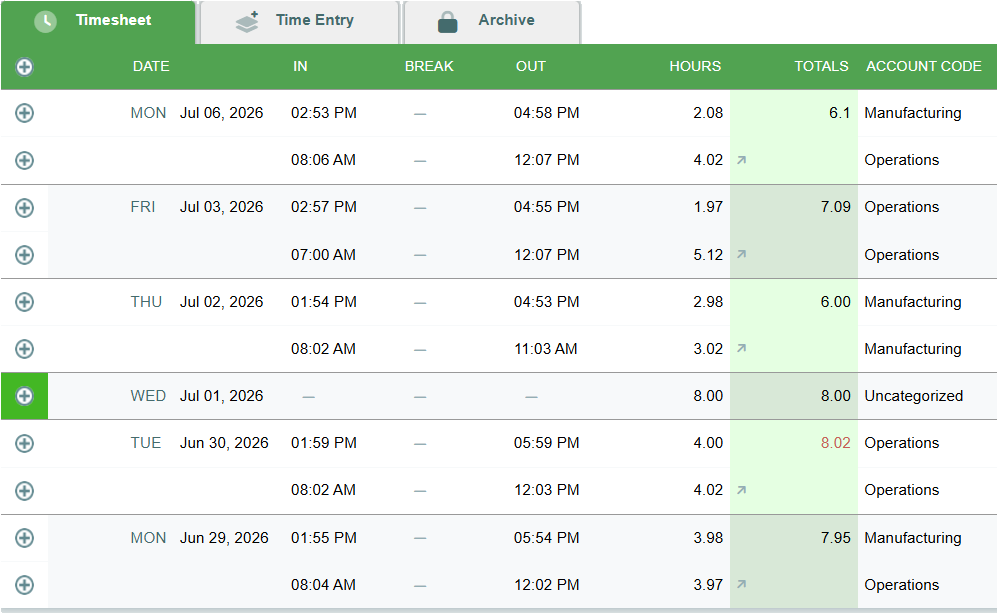
Below is a screenshot of an employee timesheet with time tracked for payroll. Our Time tracking software displays by shift and daily total of work time and time off. Time tracking data can be exported for to your accounting software or payroll system.

time tracking software

Points of Interest on the Employee’s Timesheet for Payroll

  • Employees can track time including punching the clock multiple times per day.
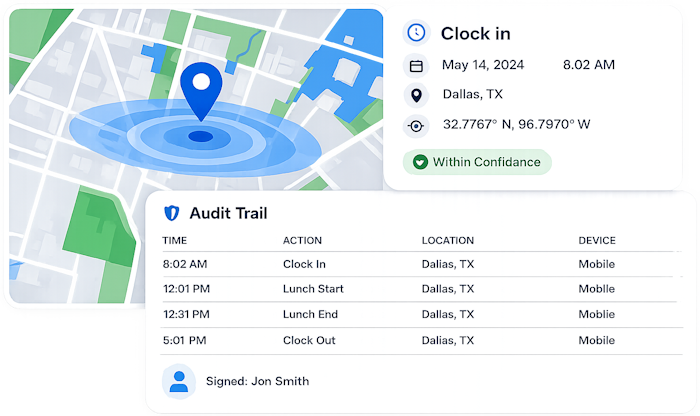
  • Each timestamp has a detailed audit trail for all time tracked, accessible by clicking the lefthand + icon. The time audit trail contains the timekeeping history of the timestamp along with security information like the IP address used to enter the time, and a map if GPS data was saved.
  • Time logs can be categorized.  In this example, the type of work performed was saved with each time entry.  
  • Accrued time-off balances are listed on the time tracking screen above the Timesheet. Employees who wish to request time-off can do so on the Time Entry tab. 
  • Employees can use our time tracking software to sign their hourly time logs electronically and managers can approve them. 

Below is a sample employee time tracking screenshot that illustrates tracking billable time and time for job costing. 

Points of Interest on the Employee’s Billable Timesheet

  • Workers can record multiple time entries each day.
  • Employees can log time using forms, timers, a wee view grid or on their mobile phones.
  • Each timestamp has an optional bill and cost rate. Rates are only visible to those with proper permission.
  • Bill and cost rates can be set on a per user and per project basis. 
  • Multi-client time tracking can be organized with access tailored by client and employee.

Time Tracking for Payroll

Time Tracking Payroll Report

Our time tracking software simplifies time tracking by providing an easy-to-use timesheet experience for employees while keeping managers informed and in control. You'll see what time workers began their shift, who's on leave, and where people were when they punched in. Our streamlined punch process even handles missed punches gracefully, providing you with all the details you need to take corrective action.

time tracking payroll

Billing and Job Costing

Bill and Cost Rates for Tracking Time

Our time tracking system offers many ways to track time for billing, job costing and productivity. Whether your employees are entering a straight 8-hour shift or working on 30 projects a day, our simple interface has you covered. You'll have plenty of granularity in your reporting which can be exported to accounting software for invoicing or downloaded as a PDF or spreadsheet to add as an attachment.

Secure Time Tracking

Secure Time Tracking with GPS

Our work time tracking software provides customizable user permission settings offering flexibility without sacrificing security. Tools like our GEOPunch GPS integration and IP locking can help eliminate time theft while our timesheet's approval process means you can assume work time is ready for processing with confidence. We also have a comprehensive audit trail keeping track of all changes made to your timesheets.

Time Tracking for Payroll

Our time tracking software simplifies time tracking by providing an easy-to-use timesheet experience for employees while keeping managers informed and in control. You'll see what time workers began their shift, who's on leave, and where people were when they punched in. Our streamlined punch process even handles missed punches gracefully, providing you with all the details you need to take corrective action.

Billing and Job Costing

Our time tracking system offers many ways to track time for billing, job costing and productivity. Whether your employees are entering a straight 8-hour shift or working on 30 projects a day, our simple interface has you covered. You'll have plenty of granularity in your reporting which can be exported to accounting software for invoicing or downloaded as a PDF or spreadsheet to add as an attachment.

Secure Time Tracking

Our work time tracking software provides customizable user permission settings offering flexibility without sacrificing security. Tools like our GEOPunch GPS integration and IP locking can help eliminate time theft while our timesheet's approval process means you can assume work time is ready for processing with confidence. We also have a comprehensive audit trail keeping track of all changes made to your timesheets.

Work Time Tracking Dashboard
Mobile Time Tracker App

Employee Time Tracking

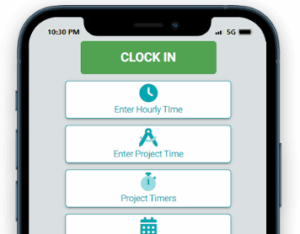
Our time tracking software offers multiple ways to enter time onto timesheets so employees can record data the way they want to - or the way you want them to. As a result, your data will be more accurate. Workers can punch the clock, make individual time tracking entries daily, track jobs in real time using our timers feature, or fill in their timesheet at the end of the week. Whether your people use desktops, tablets, or mobile devices, we've got your covered.

GEOPunch Time Tracking

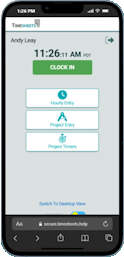
Track employee attendance on mobile with confidence. GPS tracking records the location of employees who work in the field. You and your managers can run reports and see all employees’ location data integrated nicely with Google maps. If you don’t want your employees clocking in and out from their phones, that's no problem either. Our service can be locked by IP address or used with our photo timestamp feature.

Employee Time Tracking

Our time tracking software offers multiple ways to enter time onto timesheets so employees can record data the way they want to - or the way you want them to. As a result, your data will be more accurate. Workers can punch the clock, make individual time tracking entries daily, track jobs in real time using our timers feature, or fill in their timesheet at the end of the week. Whether your people use desktops, tablets, or mobile devices, we've got your covered.

GEOPunch Time Tracking

Track employee attendance on mobile with confidence. GPS tracking records the location of employees who work in the field. You and your managers can run reports and see all employees’ location data integrated nicely with Google maps. If you don’t want your employees clocking in and out from their phones, that's no problem either. Our service can be locked by IP address or used with our photo timestamp feature.

Mobile Time Tracker App

Secure Time Tracking for Employees

With Photo Timestamp we save a photo with every punch. Works with any device. We also offer GEOPunch for accurate location tracking and IP Lock for employees who only work at specific locations.

time tracking tools
automated time tracking

Our Timekeeping Solution Makes Employee Time Tracking Audits Simple

The best way to protect your business from labor disputes is by having a proven process for employee requests, supervisor approvals and an excellent paper trail. That's where an automated time tracking solution provides tremendous value. In addition to our request and approval process, we document everything in an easily accessible audit trail.

Time Tracking Software for Teams, Freelancers, and Businesses

Ultimate Guide to Time Tracking Tools and Solutions

Cloud-Based Time Tracking with Real-Time Logs

Our time tracking software is a comprehensive, cloud-based solution designed for both managers with employees, and freelancers. With real-time reporting and  multiple ways to track time, users can log work hours, track time by task, and generate time logs that sync directly to payroll and client billing.

Time tracking software features include:

  • Project-based time recording for billing or job costing
  • Time tracking and time off with for payroll
  • Remote time tracking app for mobile users
  • Cross-platform time tracking sync to QuickBooks
  • Session trackers for Accountants and Bookkeepers with our timers feature

Employee Time Logging

Employees can log time by punching in, through manual entry, start-stop timers, or enter their work time weekly. Your dashboard acts as your timekeeper with a display of real-time time tracking data and direct links to employee time cards.

Time tracking options:

  • Punch in-out time recorder for desktop and mobile tracking with Photo Timestamp, GEOPunch or IP restrictions

  • Run one or more timers with features like auto-pause on new timer start

  • Record manually in time blocks when tracking time by project or client

Remote Time Tracking for Mobile Time Trackers

Our web based Time tracking software supports cross-device time tracking between our desktop app and people tracking on mobile phones or tablets. Our browser-based service allows you to clock in on your desktop device and out on your mobile phone, but can also be restricted with security settings. Whether you're logging hours from the office or a remote location, work session logs stay synchronized at all times. 

Key time tracking features:

  • Cloud-based time logs and audit logs for each time entry
  • Track time across any device with browser based time tracking
  • GEO Punch, Photo Timestamp, and IP Lock features help ensure you get a tailored mobile time tracking solution for your employees
  • Our mobile time tracking solution supports both iOS and Android devices

Get Your Time Report by Employee, Customer, Job, Location, or Task with Granular Precision

Our time tracking software offers robust reporting tools, including granular time analytics to give you expansive new insight into your organization. Brake down data by employee, client, project, date range, or any number of other available filters. Detailed time audit histories help improve processes and verify performance.

Time tracking reports include:

  • Filter time by date range for everything from daily work time reports to annual summaries

  • Employee filters to track productivity trends by worker or groups

  • Filter time records by client or individual job

  • Report can focus on task duration and completion logs

  • Use reports to generate team time or period comparisons 

Timesheets.com is a cloud-based alternative to traditional time tracking apps, offering a browser-based platform that performs the same functions as the best time tracking apps like QuickBooks Time, Clockify, Time Doctor, RescueTime, and BigTime—without requiring a download. Our responsive web interface works seamlessly across devices, making it ideal for businesses seeking a flexible and accessible time tracking solution.

Users can track time across devices, punch in, start and stop task timers, submit time logs, and manage employee time tracking from anywhere with an internet connection. Our real-time time tracking features support manual time block entry, and detailed project-based time recording, offering functionality comparable to tools like Toggl Track, Timeular, and Timely by Memory.

If you’re looking for a tracking tool that support remote work time tracking for payroll or client billing with cross-platform time sync, Timesheets.com gives you all the functionality of other leading time tracking systems—without the privacy concerns or device management overhead often associated with mobile tracking apps.


Freelancer and Contractor Time Logging with Assignable Bill and Cost Rates for Invoicing

Individual account holders can generate client-ready time log reports for invoicing directly from time tracked in our software. With hourly rate assignments, billable time and job cost time data is totaled in downloadable reports. 

Time tracking tools designed for independent workers:

  • Software for individuals tracking their own work time

  • Improve productivity by using different tools like manual time entry, timers, and the Week View to record time - your way. 

  • Configure your own lists to track time more efficiently for custom workflows

  • Use the task management features of our software for easier recurring task tracking

QuickBooks and Payroll Integrations

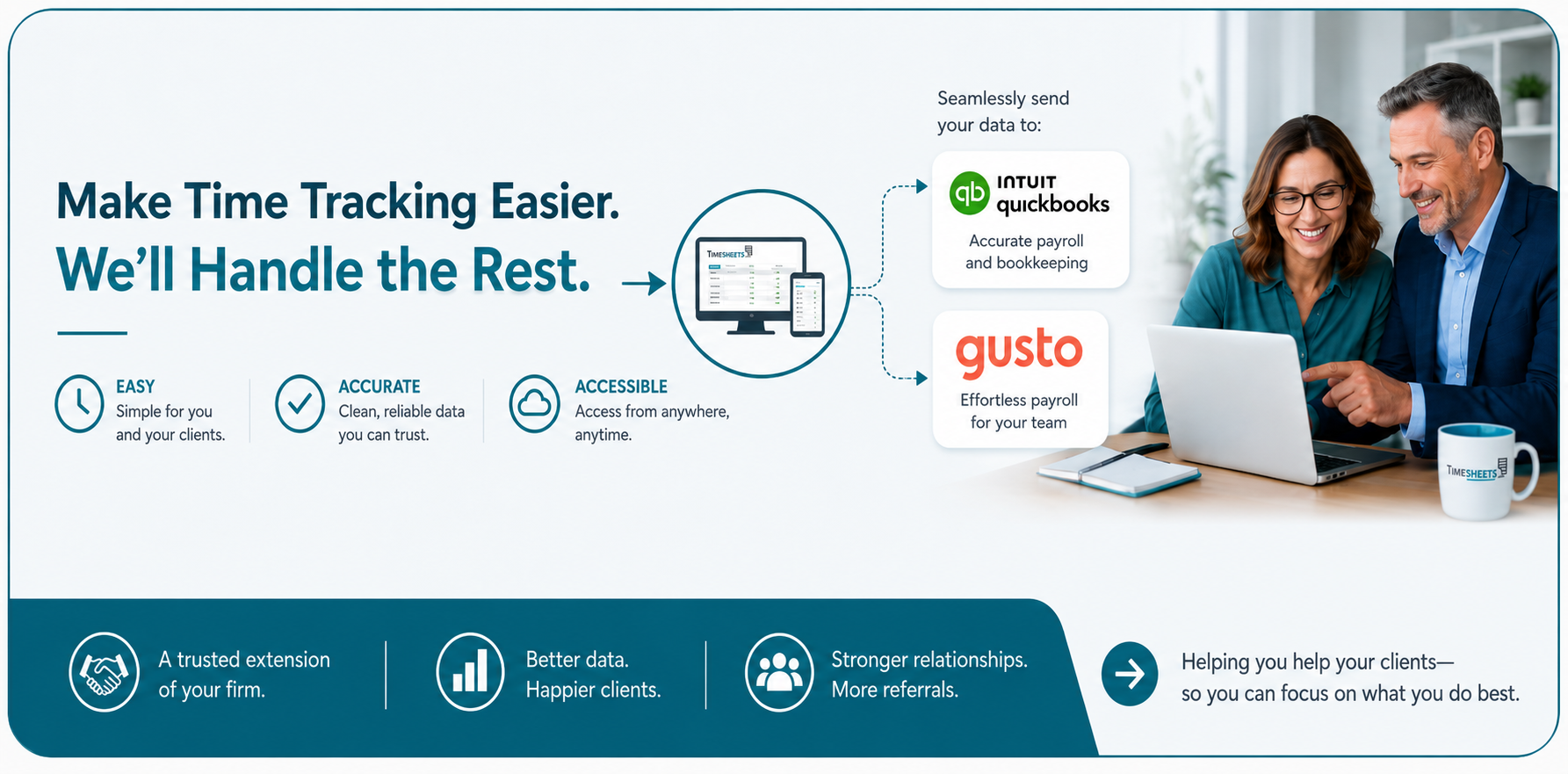
Our time tracking software integrates with the popular accounting software, QuickBooks (both desktop and online versions). We also offer many ready-to-go CSV downloads or payroll reports for payroll products like Gusto, Paychex, ADP, and others. For those with customized needs, Timesheets.com has a fully API for exporting data.

Integration highlights:

  • QuickBooks Desktop and Online Options

  • Popular Payroll Options like Paychex, ADP, and Gusto

  • API access to reporting for creating your own customized downloads

Of Course Tracking Time Improves Productivity!

Take it from us. We've worked with thousands of clients and many had no idea what there labor costs really were until proper time logging began. For example, activity level tracking to help teams monitor efficiency and create benchmarks to against which to measure future improvements.

Productivity-enhancing time tracking features:

  • Activity or task level tracking

  • Track billable vs non billable time

  • Granular reporting to monitor time worked and produce benchmark data

Team Time Tracking Summary Tools for Managers

Managers can monitor real-time activity and run time reports by team. Team time can be approve on timesheets in bulk, and many of our dashboard and reporting tool can help you understand how employee hours are distributed across teams.

Team management time tracking benefits:

  • Team time reports

  • Daily, weekly, or monthly summary email with time logs

  • Multi-client time tracking workspace

  1. Consider whether the time tracking solution you’re evaluating supports the features your team actually needs.
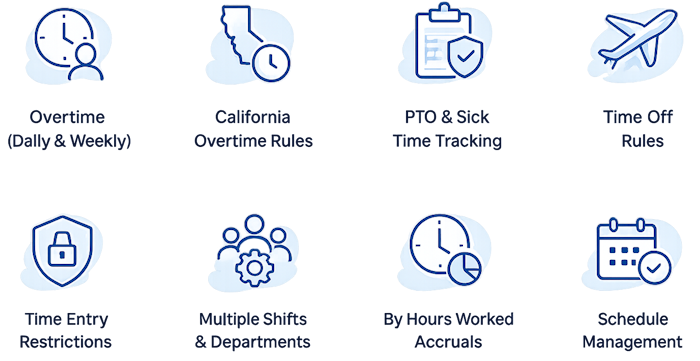
  2. Does the time tracking software have additional features, like scheduling or expense tracking that could be useful?
  3. What are the fees involved? Is there a base fee? Cancellation fee?
  4. How is the time tracking service’s customer service? Do they answer phones? Are they easy to get ahold of when you have problems?
  5. What will you be doing with you’re the data from your tracked time? Exporting to a payroll service or accounting software?
  6. How do you expect your workers to use the time tracking product, and does the product support those features?
  7. What security options are available when tracking employee time?
  8. Every company gets a bad review now and then, but what is the overall tenor of reviews left for the time tracking company?
  9. How long has the time tracking company been around? Is there timekeeping software updated often?
  10. How many workers will use the time tracking system? For instance, Timesheets.com is primary for small and medium sized teams.
  11. Will you be tracking time off?
  12. Does the company offer payment terms you like?
  13. Do you have buy-in from employees and managers? What leg work needs to happen to smooth implementation and acceptance for a new time tracking system?
  14. Do any workers or groups tracking time need special equipment or features?
  1. Timesheets.com lets you track time by task without extra plugins or browser extensions.
  2. You can track hours by task, project, job, location, client, and more.
  3. Its built-in timekeeping system supports both real-time and manual entry.
  4. Timesheets.com is optimized for real-time time tracking.
  5. Timesheets.com has an excellent audit trail feature in line with strict government DCAA requirements.
  6. You don’t need to install a dedicated time tracking app—Timesheets.com works via any browser.
  7. You can’t track clock-ins, PTO, and scheduling in one fully integrated software.
  8. No downloads required, installs, updates or updates required. You’re always using the latest version.
  9. You can track project-based time with timers or a full week view.
  10. Offers flexible tardy and location reports help ensure accountability.
  11. Combines cloud-based time tracking programs with in-browser flexibility.
  12. Built to support modern time tracking security requirements with layered permissions.
  13. A lightweight, compliance-friendly solution for remote work time tracking.
  14. Features a real-time activity feed for clock-ins, edits, and approvals.
  15. Use it as a project budget timer to manage billable vs. non-billable work.
  16. Excellent productivity analytics are built into the reports.
  17. Multiple formats for exportable summary reports.
  18. Individual rates for billable time including bill and cost rates on a per project and per person basis.
  19. Keeps cloud-based time logs organized, searchable, and exportable.
  20. Great for team time comparison using report filters and dashboards.
  21. Built-in project billing timer supports export to payroll or invoicing.

What to try our Time Tracking Software for FREE?

Time Tracking Software by Timesheets.com is the leading software alternative to Time Tracking Apps

FREE Trial - Sign-Up Now

  1.  

Understanding the language of time tracking software is essential for businesses striving to improve employee time management. This glossary defines key terms, tools, and concepts related to time tracking with real-world context from industry platforms like Toggl Track, Clockify, Time Doctor, and others. Choosing the right tracking solution for your team is hard. These definitions are designed to help you make informed decisions and better leverage your eventual time tracking tool.

  • Activity tracking – Involves monitoring and logging user actions such as keyboard strokes or app usage. Tools like Clockify and Timely by Memory utilize activity tracking as part of broader time tracking solutions to boost productivity and enhance employee oversight.
  • AI-powered time estimates – Uses artificial intelligence to predict how long a task may take, optimizing daily time tracking and resource allocation. Toggl Track and RescueTime both explore this capability, streamlining project time tracking and workforce management.
  • Asynchronous Time Entry – Allows users to log hours after the fact rather than in real time, which is useful for teams spread across time zones. Software like Everhour and Cloud-Based Time Tracking tools support this, helping remote teams maintain accurate timesheets without real-time constraints.
  • attendance tracking – A timekeeping method that records employee presence, often integrated into employee time tracking tools like TimeCamp or QuickBooks Time. It supports payroll accuracy and is essential for time card and time audit compliance.
  • attendance tracker – A specific tool used to monitor daily employee check-ins and check-outs. Systems like Apploye Time Tracker and ClickUp Time Tracking provide these capabilities, tying into larger time tracking systems and improving employee scheduling accuracy.
  • Auto-Pause Timer – A feature that detects inactivity and pauses time tracking automatically. Found in apps like Timely by Memory and Desktop App Tracker, this tool supports automated time tracking and reduces time logging errors.
  • automated time tracking – A feature that uses software to track work time without manual input. Tools like Timeular and Time Doctor automate the timekeeping process, helping reduce errors and increase efficiency in employee time tracking.
  • auto start stop tracker – A function that begins or stops recording time based on app or device activity. Found in tools like Remote Time Tracking App and Pomodoro Timer, it simplifies time entry and enhances employee time tracking for mobile or desktop users.
  • Auto-fill time tracker – Populates time logs based on recurring tasks or usage patterns. Software like Everhour and Freelancer Time Log incorporate this, making daily time tracking more intuitive and cutting down on manual time entry.
  • automatic idle time detection – Detects periods of inactivity and flags or pauses time tracking. Solutions like Hubstaff and Keyboard Activity Logger use this feature to improve productivity tracking and reduce manual time audits.
  • Batch time entry import – Enables users to upload multiple time entries at once from spreadsheets or CSVs. This feature is available in time tracking software like QuickBooks Online and Timely by Memory, streamlining administrative workflows.
  • billable time – Refers to hours that can be charged to a client. Time tracking apps like Billable Time Tracker and Freelancer Invoicing Tool help categorize these hours, syncing with invoicing tools and enhancing project budgeting.
  • billable time calculator – A built-in or standalone tool that calculates earnings based on time worked and hourly rates. Apps like TimeCamp and Project Billing Timer feature these calculators to support freelancers and client billing workflows.
  • Browser-Based Tracker – A time tracking solution that runs entirely in a web browser, without needing to download an app. Timesheets.com and Clockify offer this feature, enabling simple, cross-platform time tracking for remote teams.
  • ClickUp Time Tracking – ClickUp Time Tracking is a feature-rich solution within project time tracking and employee time tracking that enables teams to conduct detailed time analysis across tasks. Integrated with time tracking software like Toggl Track and Time Doctor, it supports productivity tracking and streamlines timekeeping through intuitive time entry interfaces, making it a powerful tracking solution for teams managing remote work and complex deliverables.
  • Clockify – Clockify is a feature-rich solution within quickbooks time integrations and time tracking tools that simplifies employee time tracking and timekeeping. Often used for daily time tracking and time audits, it offers automated time tracking and tracking apps to enhance workflow management, allowing businesses to monitor time spent tracking project tasks and boost productivity tracking.
  • Cloud-Based Time Tracking – Cloud-Based Time Tracking is a feature-rich solution supporting employee time tracking and automated time tracking by enabling users to track productivity from anywhere. Paired with tools like QuickBooks Online and Harvest, it allows for flexible timekeeping and accurate time entry, which improves time management across distributed teams using mobile time tracking and project time tracking functionalities.
  • Cross-Platform Time Sync – Cross-Platform Time Sync is a feature-rich solution within time tracking systems and productivity tracking that ensures consistency of time logs and time records across multiple operating systems and devices. Integrated with platforms such as TimeCamp and Everhour, it helps maintain synchronized time tracking data and offers real-time activity tracking that aligns with employee time tracking and project management needs.
  • Desktop App Tracker – Desktop App Tracker is a feature-rich solution for time tracking software that monitors employee time tracking, time logs, and activity tracking directly on desktop environments. Used alongside Clockify and Hubstaff, this time tracking tool allows for automated time tracking and productivity tracking by analyzing user engagement, ideal for companies prioritizing granular time analysis and improved timekeeping accuracy.
  • Desktop Idle Time Tracker – Desktop Idle Time Tracker is a time tracking tool used in employee time tracking and productivity tracking that identifies periods of inactivity on desktop systems. Often integrated with platforms like Time Doctor or Automatic Idle Detection, it supports accurate timekeeping, time audit reviews, and ensures time logs reflect actual work time tracking rather than passive screen time.
  • Daily Summary Email – Daily Summary Email is a feature in time tracking software that provides a concise overview of time logs, time entries, and employee time tracking activity. Common in productivity tracking platforms like TimeCamp and Timely by Memory, it supports project time tracking, timekeeping, and improves management oversight by streamlining daily time tracking communication.
  • Daily Time Tracking – Daily Time Tracking refers to the consistent, day-to-day practice of recording work hours using time tracking apps or systems. Essential for employee time tracking and time sheet accuracy, it supports time management and task prioritization by integrating with tracking tools like Clockify and Everhour, enabling automated time tracking and more detailed time analysis.
  • Employee Time Tracking – Employee Time Tracking is the practice of monitoring and managing how employees allocate their work hours across tasks and projects. Enabled by tools like Time Doctor, Toggl Track, and RescueTime, this variation of time tracking software supports timekeeping, payroll, and time audit processes, ensuring accurate time records and increasing accountability and productivity tracking.
  • Everhour – Everhour is a time tracking app known for its seamless integration with project management software, making it a top choice for project time tracking and employee time tracking. With features like time entry, invoicing, and reporting, it enhances timekeeping and productivity tracking for teams who rely on real-time insights and precise time logs.
  • Expense Tracking – Expense Tracking refers to the process of recording and categorizing costs alongside time logs in time tracking software. Often integrated with payroll and invoicing systems like QuickBooks and Everhour, this functionality supports employee time tracking, project time tracking, and overall productivity tracking.
  • Focus Session Tracker – Focus Session Tracker is a specialized time tracking tool used for monitoring high-concentration work periods. Integrated into platforms like Pomodoro Timer or Slack TimeBot, it enhances daily time tracking and productivity tracking by promoting focused work habits and improved time management.
  • Freelancer Hours Logbook – Freelancer Hours Logbook is a digital record of tracked time specifically used in freelance timekeeping and invoicing. Often found in time tracking solutions like ClickUp Time Tracking and Timeular, it supports project-based time tracking and time entry, helping independent workers manage billable time accurately.
  • Freelance Invoicing Tool – Freelance Invoicing Tool refers to billing features within time tracking software that automate invoice generation based on time logs and project time tracking. Used in systems like Billable Time Tracker and Everhour, it simplifies time audit, improves payroll accuracy, and enhances tracking solutions for freelancers.
  • Granular Time Allocation – Granular Time Allocation refers to the detailed breakdown of time entries across tasks, used in productivity tracking and project management. Tools like Time Insights Report and Task-Level Time Attribution support this feature, enabling better time analysis, employee time tracking, and project time tracking.
  • Hourly Rate Assignment – Hourly Rate Assignment refers to the setting of custom billing rates within time tracking software for specific employees or projects. Found in tools like Billable Time Tracker and Time Export to Invoice, this feature aids in accurate invoicing, payroll calculation, and project time tracking.
  • In-App Timer Widget – In-App Timer Widget is a user interface element that allows employees to start and stop timers directly within time tracking apps. Integrated in platforms like Timely by Memory and Mobile Time Tracker, it supports real-time time tracking, timekeeping, and project-based time tracking.
  • Invoice – Invoice refers to a financial document generated from time logs and time entries within employee time tracking systems. Often used in conjunction with QuickBooks or a Freelance Invoicing Tool, it streamlines billing, enhances productivity tracking, and supports expense tracking in workforce management.
  • Jira Time Module – Jira Time Module is a time tracking extension within the Jira platform that integrates employee time tracking and project time tracking. Used for managing agile workflows, it supports daily time tracking, task-level reporting, and productivity tracking for development teams.
  • Keyboard Activity Logger – Keyboard Activity Logger is a monitoring feature included in some time tracking tools like Desktop App Tracker that captures keyboard usage to validate time logs. Often used for employee monitoring and time audit purposes, it aids in automated time tracking, timekeeping, and tracking productivity.
  • Manual Time Block Tool – Manual Time Block Tool allows users to enter time records manually into time tracking software when automatic tracking isn’t practical. It’s particularly useful in daily time tracking, employee time tracking, and for platforms like Everhour and TimeCamp.
  • Mobile Time Tracker – Mobile Time Tracker refers to time tracking apps designed for smartphones and tablets. These tools, such as those used in Remote Time Tracking App and Clockify, support mobile time tracking, timekeeping, and real-time activity feed logging for employees on the go.
  • Monitor Team Activity – Monitor Team Activity is a feature in time tracking solutions that provides visibility into team productivity and utilization rates. Common in productivity tracking software like Time Doctor and Project Budget Timer, it helps managers oversee time logs and employee monitoring.
  • Multi-Client Time Tracking – Multi-Client Time Tracking is the capability of tracking time separately across multiple clients within the same platform. Essential for freelancers and agencies, it supports project time tracking, timekeeping, and invoicing with tools like Timeular and ClickUp Time Tracking.
  • Offline Time Logging – Offline Time Logging is the ability of time tracking tools to capture time data without an internet connection, syncing once back online. This feature supports employee time tracking in remote locations and appears in tools such as Toggl Track and Desktop App Tracker.
  • Pomodoro Timer – Pomodoro Timer is a time management technique and tool built into many time tracking apps that segments work into intervals, boosting productivity tracking. Tools like Toggl Track and Time Doctor use it to improve focus and track productivity through real-time time tracking and task-level attribution.
  • Productivity Analytics – Productivity Analytics refers to insights derived from employee time tracking data, such as how time is distributed across tasks. It supports time audit and project time tracking using tools like Productivity Analytics dashboards in Everhour and Cloud-Based Time Tracking platforms.
  • Project-Based Time Tracking – Project-Based Time Tracking enables users to allocate time entries to specific projects, helping with client billing and time analysis. Apps like Timely by Memory and Remote Time Tracking App offer time logs that contribute to better project management and payroll forecasting.
  • Recurring Task Tracker – Recurring Task Tracker is a time tracking software feature that simplifies timekeeping for tasks performed regularly. Useful in time management systems, tools like ClickUp Time Tracking and Automatic Idle Detection help automate daily time tracking and maintain accurate time records.
  • Remote Time Tracking App – Remote Time Tracking App allows distributed teams to track time from anywhere. Solutions such as Clockify and TimeCamp integrate with project management software and enable employee monitoring, time entry management, and cross-platform time tracking.
  • RescueTime – RescueTime is a time tracking app that automatically monitors app usage and websites visited to provide insights into employee time tracking and productivity tracking. It excels in activity tracking and time audit reporting, often used alongside tools like Automatic Idle Detection.
  • Screenshot Monitoring – Screenshot Monitoring captures images of a user’s screen at intervals to verify time spent on tasks, enhancing employee monitoring software. Common in project time tracking tools like Hubstaff and Apploye Time Tracker, it supports accountability and project-based time recording.
  • Slack TimeBot – Slack TimeBot is an integration that allows users to log time and access tracking tools directly from Slack. It helps streamline daily time tracking, track productivity, and manage time logs in real time, especially for remote teams using productivity tracking systems.
  • Task-Level Time Attribution – Task-Level Time Attribution connects specific time entries to individual tasks, supporting detailed time analysis and project time tracking. Used in apps like Everhour and In-App Timer Widget, this feature improves employee time tracking accuracy and facilitates better task management.
  • Time Audit – Time Audit is the process of reviewing time logs to ensure accuracy, identify inefficiencies, and improve productivity tracking. Tools like Time Doctor and Time Insights Report make audits easier by offering employee monitoring and hourly rate invoicing dashboards.
  • Time Budget Tool – The Time Budget Tool allows organizations to set hourly or project-based time limits to control labor costs and improve productivity tracking. It integrates with platforms like TimeCamp and ClickUp Time Tracking to enhance employee time tracking and track productivity.
  • Time Doctor – Time Doctor is a popular time tracking software known for its advanced timekeeping, automated time tracking, and screenshot monitoring capabilities. It supports daily time tracking, employee monitoring software, and real-time project pacing for distributed teams.
  • Time Entry – Time Entry refers to the manual or automated input of time spent on tasks or projects in a time tracking app. It’s essential for project time tracking, invoicing, and payroll systems, with integrations available through tools like Zapier and QuickBooks Time.
  • Time Export to Invoice – Time Export to Invoice enables users to generate invoices directly from tracked hours, linking billable time with client billing. Common in Freelancer Time Log and Billable Time Tracker systems, it ensures accurate timekeeping and streamlines expense tracking.
  • Time Insights Report – Time Insights Report offers detailed time analysis by presenting metrics like productive hours, time spent tracking, and time record summaries. These reports, featured in apps like Time Doctor and Desktop App Tracker, support better decision-making and time management.
  • Time Logs – Time Logs are chronological records of time entries that track employee time across tasks, clients, or projects. Used in daily time tracking and automated time tracking systems, they’re vital for project budgeting, employee time tracking, and accurate payroll.
  • Time Management – Time Management refers to the strategic allocation of time to tasks to maximize productivity. Tools like productivity tracking software and time tracking apps support better time management by providing real-time data and analysis through platforms like Clockify and RescueTime.
  • Time Management System – A Time Management System combines time tracking software, employee scheduling, and productivity tracking to help manage team workloads. Systems like Timeular and TimeCamp support work time tracking and performance improvement.
  • Time Manager – A Time Manager is a role or software function responsible for overseeing time entry, auditing time logs, and monitoring productivity. Platforms like Real-Time Collaboration Logs and Project Budget Timer support the duties of a time manager in workforce management.
  • Time Off Requests – Time Off Requests are employee-initiated submissions for scheduled leave tracked through time tracking apps or employee time tracking systems. These features are commonly integrated in time clock software like TimeCamp and used for PTO tracking and compliance.
  • Time Record – A Time Record captures the start and end of work periods or tasks. Used in automated time tracking and project time tracking, these records support accurate invoicing and integration with tools like QuickBooks and Everhour.
  • Time Reporting – Time Reporting refers to the generation of detailed reports from time logs and time tracking tools. Reports may include time analysis, project performance, and billable hours for use in payroll and workforce management platforms like Time Doctor or Apploye Time Tracker.
  • Time Reports – Time Reports are exported documents or dashboards summarizing time tracked by task, employee, or project. They’re key to productivity tracking and often come from tracking solutions like Time Insights Report or Time Report by Project.
  • Time Sheet – A Time Sheet is a structured log of time entries submitted by employees to record hours worked. Timesheets.com, along with spreadsheet-based tools and platforms like QuickBooks Online, supports digital time sheet approvals and real-time project pacing.
  • Time Spent Tracking – Time Spent Tracking helps teams monitor how long employees spend on specific tasks or projects. It supports time auditing, task tracking, and project management using systems such as Jira Time Module and Slack TimeBot.
  • Time Tracker App – A Time Tracker App is a mobile or desktop application that allows users to track time spent on tasks in real time. Tools like Toggl Track and TimeCamp offer time tracking apps for employee time tracking and project time tracking.
  • Time Tracking App – Time Tracking Apps provide users with interfaces to log work hours on the go. Solutions like RescueTime, Mobile Time Tracker, and Clockify include features such as automated time tracking, idle detection, and Pomodoro timers.
  • Time Tracking Apps – Time Tracking Apps include both browser-based and mobile applications designed to record and analyze time entries. Popular options like Timely by Memory and Remote Time Tracking App offer integrations with payroll, productivity tracking, and task management software.
  • Time Tracking Software – Time Tracking Software is a category of tools used for tracking, logging, and analyzing work time. Leading platforms like Time Doctor, Clockify, and Timesheets.com help streamline employee time tracking, payroll integration, and project time tracking.
  • Time Tracking Solution – A Time Tracking Solution refers to a comprehensive system that manages employee work hours, attendance, and project billing. Examples include Time Insights Report and Utilization Dashboard, which integrate with timesheet templates and activity tracking.
  • Time Tracking System – A Time Tracking System refers to the full suite of tools and processes a business uses to record employee time, track productivity, and generate payroll and invoicing reports. Systems like Real-Time Collaboration Logs and Time Report by Project support automated time tracking and employee monitoring.
  • Time Tracking Systems – Time Tracking Systems are collections of hardware and software tools used across an organization to manage timekeeping and ensure accurate data for billing and compliance. Platforms like Apploye Time Tracker and Jira Time Module enhance employee time tracking and forecasting.
  • Time Tracking Tool – A Time Tracking Tool is a feature or standalone software application used to track time on specific tasks or projects. Examples include Pomodoro Timer and Freelancer Time Log, which help with daily time tracking and task-level time attribution.
  • Time Tracking Tools – Time Tracking Tools refer to any digital instruments that assist in tracking employee hours, analyzing performance, and syncing data across devices. These tools are central to workforce management, productivity analytics, and real-time time tracking.
  • Time Tracking Solutions – Time Tracking Solutions are tailored platforms that help businesses manage employee time, assign billable hours, and maintain accountability across teams. Tools like Clock Software, Employee Time Clock, and TrackingTime are considered among the best time tracking solutions on the market.
  • Timekeeper – A Timekeeper is a person or system responsible for tracking and maintaining accurate records of time spent on tasks. Digital timekeepers often rely on tools like Timer Notifications and Cloud-Based Time Tracking for accuracy and accountability.
  • Timekeeping – Timekeeping is the process of recording employee time data for purposes such as payroll, billing, or compliance. Systems like QuickBooks Time and Clockify streamline digital timekeeping across remote teams and traditional office setups.
  • Timing – Timing refers to the act of measuring when a task starts and ends. Accurate timing supports project budgeting and task management, using tools like Project Billing Timer and Auto-Pause Timer to ensure time spent tracking is reliable.
  • TimeSpent Tracking – Time spent tracking helps organizations understand where hours are allocated across projects and tasks. Tools like Productivity Analytics and Project-Based Time Tracking enable detailed analysis for better resource allocation and billing accuracy.
  • TimeTracking App – A time tracking app is a software application that helps users log hours worked. Popular apps like Toggl Track and Time Doctor offer mobile time tracking solutions with features such as start stop task timers and screen time capture.
  • TimeTracking Software – Time tracking software is a digital solution for managing, recording, and analyzing how time is spent. Solutions such as Everhour and ClickUp Time Tracking offer integrations with payroll and project management tools to streamline workforce oversight.
  • TimeTracking Tool – A time tracking tool is any software or hardware that helps record and analyze working hours. Options like Desktop App Tracker and Pomodoro Timer provide varying levels of functionality, including hourly rate invoicing and activity level tracking.
  • TimeTracking Tools – Time tracking tools encompass a suite of digital instruments used to measure time spent on work-related activities. These include Freelancer Time Logs, Real-Time Collaboration Logs, and even Keyboard Activity Loggers to improve productivity tracking.
  • TimeTracking System – A time tracking system refers to the combination of software and processes used to monitor and manage employee work hours. Systems like TimeCamp and Apploye Time Tracker integrate with payroll, timesheets, and employee monitoring software for seamless operation.
  • TimeTracking Systems – Time tracking systems provide infrastructure for organizations to monitor project time tracking, productivity tracking, and timekeeping. Multi-client time tracking platforms like Clockify support tracking features like time audits and time logs across distributed teams.
  • TimeTracking Solution – A time tracking solution is a comprehensive approach to managing time-related data through software like Time Doctor or Timely by Memory. These solutions support attendance tracking, PTO tracking, and time entry across various industries and workflows.
  • TimeTracking Solutions – Time tracking solutions vary in complexity from simple mobile time tracking apps to robust desktop systems with real-time activity feeds. Businesses use these tools for job costing, billable time calculation, and to track their time with accuracy.
  • TimeZone Adjustment – Time zone adjustment refers to the ability of time tracking software to adapt logged time based on the user’s local zone. This is essential in global teams using platforms like Remote Time Tracking App and Real-Time Collaboration Logs.
  • Timer Notifications – Timer notifications are alerts that remind users to start, stop, or resume timers within a time tracking app. Tools like Pomodoro Timer and Timer App with Billing offer this feature to help manage daily time tracking and improve task completion rates.
  • Timing – Timing refers to the precision of tracking when tasks begin and end, crucial for accurate time entry and payroll. Solutions like Clockify and Toggl Track emphasize timing features to enhance productivity tracking and optimize time management.
  • Timekeeper – A timekeeper is a person or tool responsible for maintaining accurate time records. In digital systems, timekeeper features are embedded in tools like Time Doctor or Timeular to manage timesheets and monitor work hours effectively.
  • TimeLogs – Time logs are chronological records of tracked work sessions. They support project-based time recording and time audit history, used heavily in systems like TimeCamp and Timely by Memory to analyze employee time tracking and productivity.
  • TimeLogging – Time logging is the act of recording work time either manually or automatically. Platforms such as Mobile Time Tracker and Freelance Invoicing Tool allow for seamless time logging to help organizations with employee monitoring and billable time calculation.
  • TimeManagement – Time management is the practice of organizing and planning how to divide time between activities. Effective time tracking apps like RescueTime and Everhour assist with time management by providing tools for tracking tasks, setting priorities, and analyzing time spent on work.
  • TimeManagementSystem – A time management system is a structured approach or software solution for tracking, planning, and optimizing time usage. Tools like Time Doctor and Productivity Analytics serve as time management systems by combining time tracking, time sheet reporting, and employee productivity tracking.
  • TimeManager – A time manager is either a person or software tool responsible for ensuring time is used efficiently. Software like Focus Session Tracker and ClickUp Time Tracking serve as time managers by offering productivity tracking and real-time time tracking capabilities.
  • TimeRecord – A time record is a documented entry of hours worked, often used for payroll and invoicing. Systems like Billable Time Tracker and Time Export to Invoice rely on precise time records to ensure accurate compensation and project billing.
  • TimeReportByProject – Time Report by Project is a feature that displays tracked time segmented by individual projects. Platforms like TimeCamp and Project Budget Timer use this function to help organizations monitor project time tracking and task-level time attribution.
  • TimeReporting – Time reporting is the process of compiling and presenting tracked hours for payroll, project analysis, or productivity reviews. Tools like Time Insights Report and Daily Summary Email streamline time reporting, making it easier for teams to understand work hours and generate timesheets.
  • TimeReports – Time reports are formal summaries of tracked time, often used by management to evaluate project time tracking and employee time tracking. With platforms like Time Doctor and Utilization Dashboard, users can generate detailed time reports that support payroll and task management decisions.
  • Timing – Timing refers to the act of measuring time intervals for tasks, breaks, or shifts. In time tracking software, timing tools like Pomodoro Timer and In-App Timer Widget help teams maintain focus and accurately track productivity across projects.
  • Toggle – Toggle is a common shorthand for Toggl Track, a time tracking solution used by freelancers and businesses. Toggl Track provides features such as browser-based tracker access, cross-platform time sync, and batch time entry import to support a seamless time management system.
  • Toggl – Toggl, now rebranded as Toggl Track, is a time tracking software solution designed for task-level attribution and real-time time tracking. It’s a favorite among remote work teams for its minimalist design, mobile time tracking, and robust time audit capabilities.
  • TogglTrack – Toggl Track allows users to track hours by task, generate project time tracking reports, and analyze productivity trends. It offers integrations with tools like Slack TimeBot and Jira Time Module to align time management with project management workflows.
  • Track – Track refers to the process of recording or monitoring activities, often using time tracking tools. In workforce management, businesses use software like Time Doctor and Everhour to track time, productivity, and employee performance for billing and optimization.
  • Track App Usage by Employee – Tracking app usage by employee involves monitoring which applications are used during work hours. This feature, found in tools like Hubstaff and Productivity Analytics, supports employee monitoring and time analysis to improve accountability.
  • Track Billable – To track billable time means to record hours worked on tasks that are invoiced to clients. Automated time tracking and manual time entry help freelancers and firms use tools like Billable Time Tracker and Project Billing Timer to ensure accurate client billing.
  • Track Employee Time – Tracking employee time is essential for understanding productivity, managing payroll, and analyzing project costs. Solutions like Timeular and Clockify offer mobile time tracking, screen time capture, and customizable time logs to support timekeeping.
  • Track Hours – Tracking hours involves logging time spent on tasks, projects, or shifts. From Clockify’s manual time block tools to TimeCamp’s in-app time recorders, organizations can track hours by task and optimize utilization across departments.
  • Track Idle vs Active Time – This feature differentiates between productive (active) and unproductive (idle) work time. Time tracking software with automatic idle time detection, such as Remote Time Tracking App, allows managers to track productivity and adjust workflows accordingly.
  • Track Productivity – Track productivity refers to measuring and analyzing how effectively time is spent on work tasks. With tools like Productivity Analytics and Daily Summary Email, businesses can conduct time audits, identify bottlenecks, and enhance workforce management through strategic time tracking software.
  • Track Productivity Trends – Tracking productivity trends helps businesses identify performance patterns over time. Tools like Time Insights Report and Multi-Client Time Tracking enable detailed time analysis and daily time tracking that inform project budgeting and employee scheduling strategies.
  • Track Task Durations – Tracking task durations involves monitoring how long specific activities take to complete. By using project-based time tracking software like Timely by Memory or ClickUp Time Tracking, managers can gain time data for forecasting and resource planning.
  • Track Their Time – To track their time, employees use time tracking apps or manual time entry to record work activities. With software like Time Doctor and Timekeeper tools, companies support employee accountability, streamline time sheets, and ensure payroll accuracy.
  • Tracked Time – Tracked time refers to the cumulative logged hours recorded through time tracking tools. Whether tracked automatically via apps like Toggl Track or entered manually into systems like QuickBooks Time, this data supports invoicing, time audits, and payroll calculations.
  • Tracking – Tracking, in the context of time management, refers to the continuous monitoring of time spent on various activities. Solutions like Clockify and Slack TimeBot enable tracking features for employee monitoring, daily time tracking, and task management.
  • Tracking App – A tracking app enables users to log work time across tasks and devices, supporting employee time tracking and automated time tracking. Popular options like Mobile Time Tracker and RescueTime help with tracking productivity and generating detailed time reports.
  • Tracking Apps – Tracking apps refer to a variety of mobile and desktop tools used to monitor time spent on work activities. Examples include Timeular and Remote Time Tracking App, which support asynchronous time entry, employee time tracking, and integration with platforms like Zapier and QuickBooks.
  • Tracking Capabilities – Tracking capabilities describe the features within time tracking software that allow for accurate and customizable time monitoring. These include automatic idle detection, project-based time recording, and task-level time attribution in tools like Everhour and TimeCamp.
  • Tracking Data – Tracking data consists of logged entries and analytics collected by time tracking tools to evaluate performance and project progress. With platforms like Time Doctor and Productivity Analytics, this data supports time audits, project time tracking, and budget forecasting.
  • Tracking Employee – Tracking employee time involves monitoring individual contributions to tasks and projects. Cloud-based time tracking software like Clockify and Slack TimeBot ensures transparency in workforce management and supports both daily time tracking and employee performance metrics.
  • Tracking Features – Tracking features in time tracking software include real-time activity feeds, timer notifications, and desktop idle time tracking. These functions, found in tools like Time Insights Report and Real-Time Collaboration Logs, enable precise time analysis and project planning.
  • Tracking Solution – A tracking solution refers to a comprehensive system or software designed for timekeeping, project management, and productivity tracking. Timesheets.com, for instance, provides an integrated tracking solution that includes features such as project time tracking, time audit reports, and compatibility with workforce management tools like QuickBooks and Everhour.
  • Tracking Software – Tracking software encompasses applications that allow businesses to monitor time spent on tasks, employee hours, and overall productivity. Platforms such as TimeCamp and Time Doctor are examples of tracking software that enable time analysis, daily time tracking, and invoicing through integrations with tools like QuickBooks Online and Zapier.
  • Tracking System – A tracking system is the structural framework of time tracking tools used to log and analyze employee activity. Time tracking systems such as Clockify and Toggl Track provide functionalities like screen time capture, activity level tracking, and automatic time entry that help with time audits and productivity monitoring.
  • Tracking Systems – Tracking systems include multiple interconnected tools and processes that together support effective timekeeping and employee time tracking. These systems often feature project-based time tracking, real-time dashboards, and integrations with payroll and spreadsheet software to streamline billing and reporting.
  • Track Productivity – To track productivity is to measure how efficiently time is used to complete tasks or achieve goals. Productivity tracking is supported by features in time tracking software such as utilization dashboards, focus session trackers, and daily summary emails, with solutions like RescueTime and Slack TimeBot commonly used for this purpose.
  • Track Task Durations – Tracking task durations allows for a detailed understanding of how long each activity takes, aiding in time management and project forecasting. Time tracking tools like Project Budget Timer and Workflow Timer Integration support this function with calendar-integrated timers and hourly rate assignment.
  • Tracked Time – Tracked time refers to the recorded duration an employee spends on specific tasks or projects using time tracking software. Tools like Timeular and Timely by Memory enable accurate time logs, facilitating billable time calculation, productivity tracking, and seamless time export to invoicing platforms.
  • Tracker – A tracker is any tool or application used for monitoring and recording time, tasks, or productivity. Whether it’s a mobile time tracker or a desktop app tracker, these devices are key to automated time tracking, employee scheduling, and workforce management, especially in remote or hybrid work environments.
  • Trackers – Trackers can refer to multiple devices or applications that monitor time entry, task completion, and overall employee time tracking. Popular examples include ClickUp Time Tracking and Remote Time Tracking Apps, which support real-time time tracking and provide detailed time analysis reports.
  • Trackers for Time – Trackers for time are specialized tools designed to log the time spent on tasks across different platforms and teams. These tools help manage timekeeping, enable daily time tracking, and often integrate with project management software and time tracking solutions like Everhour and TimeCamp.
  • Tracking – Tracking is the ongoing process of capturing data related to time spent on various tasks or projects. Whether through automatic idle detection or manual time entry, tracking is a foundational component of effective timekeeping, productivity tracking, and project time tracking.
  • Tracking Apps – Tracking apps are mobile or desktop applications used to log, manage, and analyze time-related data. Examples include Mobile Time Tracker and Freelancer Time Log, which facilitate time management, allow time audit history reviews, and support integration with QuickBooks and Microsoft Excel.
  • Tracking Capabilities – Tracking capabilities refer to the features within time tracking software that enable detailed monitoring of employee time, project progress, and productivity metrics. These capabilities often include real-time activity feeds, screen time capture, and time analysis dashboards used in tools like Hubstaff and Time Doctor.
  • Tracking Data – Tracking data consists of the raw information collected by tracking apps regarding time spent on tasks, project durations, and user activity. This data feeds into time audit reports, informs payroll calculations, and supports performance insights across platforms such as TimeCamp and Clockify.
  • Tracking Features – Tracking features are specific functions within time tracking tools that help users monitor, log, and report time efficiently. Common features include Pomodoro timers, automated time tracking, idle detection, and task-level attribution, all integral to software like RescueTime and Everhour.
  • Tracking Software – Tracking software is a digital solution designed to log and analyze employee work hours and task durations. Tools like Timely by Memory and ClickUp Time Tracking provide cloud-based time tracking, detailed time logs, and real-time collaboration logs for streamlined productivity tracking.
  • Tracking Solution – A tracking solution is a comprehensive system for managing time entry, monitoring team performance, and producing time records. Timesheets.com, for example, offers a tracking solution that supports time sheet approval, project time tracking, and automated reporting integrated with QuickBooks Online.
  • Tracking System – A tracking system is the infrastructure—comprising software, policies, and workflows—used to manage employee timekeeping and monitor workforce productivity. Whether in desktop idle time trackers or browser-based trackers, these systems help optimize time management and track productivity trends.
  • Tracking Time – Tracking time refers to the process of recording hours worked on tasks, projects, or shifts using time tracking software. Solutions like Timeular and Apploye Time Tracker help organizations track time across devices, manage time logs, and analyze work habits for improved productivity tracking.
  • Tracking Tools – Tracking tools are digital utilities or applications used to log work hours, assess time spent tracking specific activities, and support employee monitoring. Popular tools like Toggl Track and Clockify offer features such as automatic idle time detection, daily time tracking, and hourly rate invoicing.
  • Tracking Track – Tracking track is a phrase that describes the ongoing monitoring of employee time entries, typically across multiple days or projects. Tracking track data feeds into time audit reports and productivity dashboards found in software like Time Doctor and Time Insights Report platforms.
  • Tracked Time – Tracked time is the amount of time already recorded in a time tracking app or system, often categorized by project, client, or task. Accurate tracked time is essential for billable time calculations, project-based time recording, and syncing data with invoicing systems like QuickBooks.
  • Tracker – A tracker is any software or device used to measure and log time spent on work-related activities. From mobile time trackers to cross-platform time sync tools, trackers support functions such as activity level tracking, attendance verification, and team time comparison.
  • Trackers – Trackers are a broader category encompassing all tools used for timekeeping and productivity monitoring. These include software like TimeCamp and Focus Session Tracker, which enable remote work time tracking and provide time analytics dashboards that inform workforce management decisions.
  • Trackers for Time – Trackers for time are tools specifically designed to measure how time is spent across tasks, clients, or teams. These solutions, such as Everhour and Remote Time Tracking App, support project time tracking, time sheet approvals, and can integrate with payroll or invoicing platforms.
  • Tracking Solution – A tracking solution is a comprehensive time tracking system designed to manage employee timekeeping, track productivity trends, and ensure accurate time reporting. Leading tracking solutions like Cloud-Based Time Tracking or Billable Time Tracker offer asynchronous time entry and real-time activity feed capabilities.
  • Tracking Systems – Tracking systems are integrated platforms used to monitor timekeeping across departments or projects. These systems, such as Desktop App Tracker and Keyboard Activity Logger, enable manual time entry, daily summary email generation, and syncing to project milestones.
  • Tracking Track – Tracking track is a redundant phrase often used in internal communications to refer to continuous tracking of work hours. It helps distinguish between tracked time in progress versus finalized time logs that can be exported to invoices.
  • Training Time – Training time refers to the hours an employee spends learning new software, procedures, or systems, which can be recorded and analyzed through time tracking tools like Time Insights Report. Accurately logging training time supports project budgeting and productivity tracking.
  • Utilization Dashboard – A utilization dashboard is a feature in time tracking apps that provides visual insights into how employees allocate their hours. Platforms like Time Doctor and Slack TimeBot use utilization dashboards to help managers identify underused resources and optimize project assignments.
  • Vacation Tracker – A vacation tracker is a time tracking app feature that allows managers and employees to log, view, and approve time off requests. It integrates with time sheets, timekeeping systems, and workforce management tools like ClickUp Time Tracking to support accurate payroll and scheduling.
  • Web-Based Time Tracking – Web-based time tracking refers to tools that allow users to track work hours through a browser without needing to install tracking apps. Timesheets.com, a browser-based solution, supports automated time tracking and employee time tracking through a clean, accessible online interface.
  • Work Hours – Work hours are the total number of hours an employee logs in a given period. Tracking work hours through time tracking apps like Clockify or TimeCamp allows for accurate time sheet creation, time audits, and syncing with payroll and invoicing systems.
  • Work Session Logger – A work session logger is a type of time tracking tool used to capture the start and stop of task-specific sessions. Tools like Work Session Logger or Pomodoro Timer help with focus time measurement and can generate time analysis reports.
  • Work Time Tracking – Work time tracking involves monitoring employee work activity during designated hours using tracking apps, project-based time recording tools, and cloud-based dashboards. Everhour and Timeular provide intuitive solutions for tracking work hours and generating productivity analytics.
  • Workflow Timer Integration – Workflow timer integration allows users to embed timers within task management or project software to track time directly. In-App Timer Widget and Asana integrations support time entry syncing and improve real-time project pacing by connecting productivity tracking with daily operations.
  • Workforce Management – Workforce management refers to systems and practices that optimize employee schedules, attendance, and productivity. Tools like Time Doctor and TimeCamp include time tracking software with workforce management capabilities, helping organizations track productivity, log time records, and ensure compliance with labor policies.
  • Workload Balancing – Workload balancing is the process of distributing work evenly among employees. Time tracking apps like Timely by Memory help managers use time analysis and time audit data to adjust assignments and manage team productivity efficiently.
  • Year-End Reporting – Year-end reporting in time tracking systems summarizes annual work data including time logs, employee time tracking summaries, and billable hours. This report supports invoicing and payroll processing and helps employers meet financial and legal obligations with tools like Time Report by Project and Time Export to Invoice.
  • Zapier Integration – Zapier integration allows time tracking apps to connect with thousands of other apps. For instance, integrating Timesheets.com or Clockify with Zapier enables automated time entry creation, syncing with QuickBooks Online, and exporting data to project management or payroll systems without manual intervention.

Timesheets.com Employee Time Tracking Software

Copyright 2004-2025 TimeclockOnline.com, Inc. All Rights Reserved.
Terms of Use   |   Privacy Statement