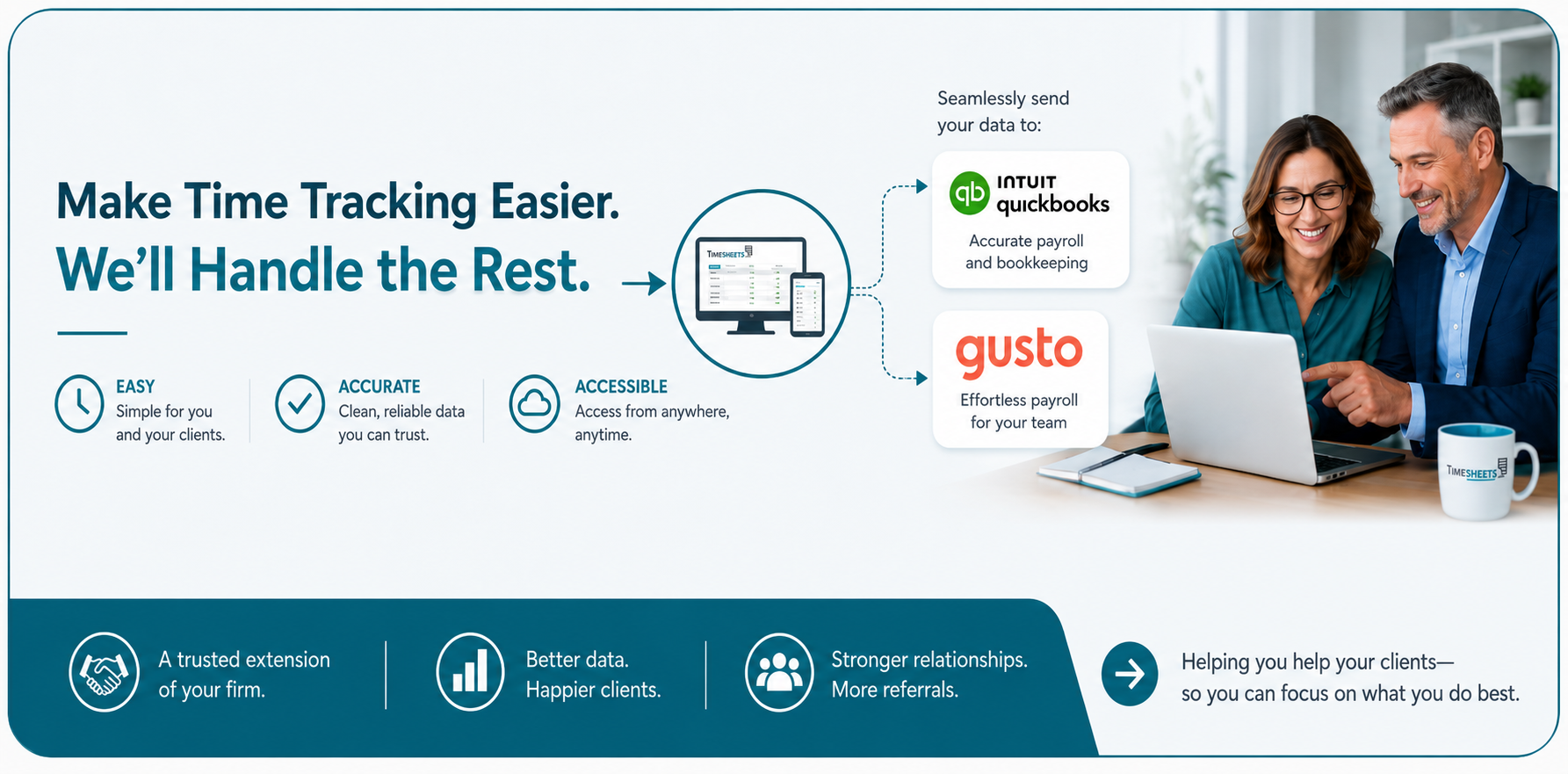
Know Exactly Where Your Labor Dollars Go.
When you need a report, our customizable options are good enough to satisfy even the toughest of customers. And with our API, you can generate reports in any format you want.
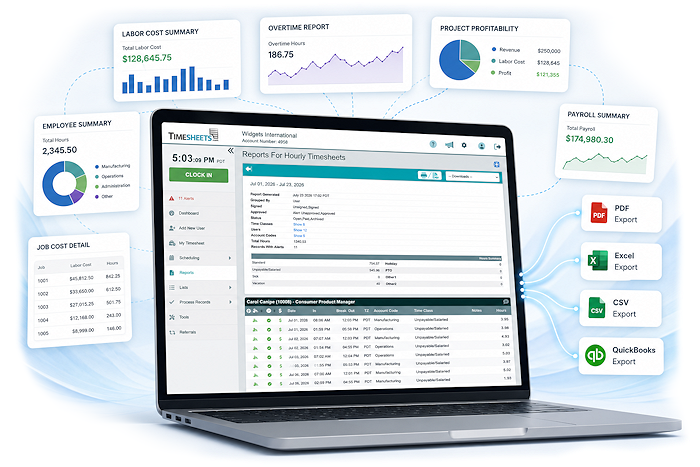
Get Reporting That Answers Real Business Questions






How much overtime did we pay this month?
Which Projects are making money?
Who was late this week?
Which jobs or people cost the most?
Are we payroll ready?
Who approved this time off and when?
Build Exactly The Report You Need
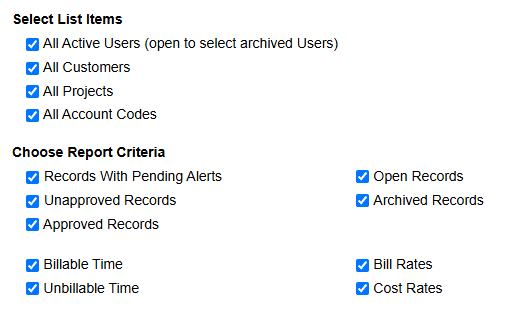
Instead of forcing you to use predefined reports, Timesheets.com allows you to customize filters and lists so you can get the exact data you need.
- Group reports by user, customer, project, and more
- Set custom date ranges
- Save report templates
- Export as PDF or CSV
- Send data to QuickBooks in seconds
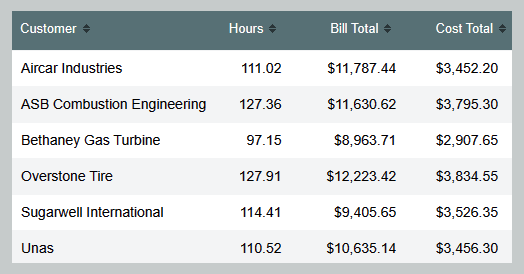
Know Where Your Labor Dollars Go
Compare how much a job is costing you and how much your billing.
- Include billable & non-billable hours
- See how much time your employees spend on tasks
- Multiple formats to support invoicing software
- Quick summaries & detailed breakdowns available
Built for Any Department

- Payroll Teams
- Payroll Summaries
- Overtime Reports
- PTO & Accruals
- Labor Cost Reports

- Operations Teams
- Attendance Tracking
- Printable Schedules
- Task Time Visibility
- Contractor Gross Pay
- Accounting Teams
- Job Costing Reports
- Expense Reports
- Billable Hours
- Audit Trail Reports
Export to payroll companies and accounting software services like these:

Frequently Asked Questions
What kinds of reports can I create?
Timesheets.com can generate reports for payroll, overtime, attendance, PTO and accruals, labor costs, billable time, project profitability, job costing, mileage, expenses, approvals, and audit history. Reports can provide a high-level summary or a detailed breakdown of individual records.
Are reports updated in real time?
Yes. Time, mileage, and expense information becomes available for reporting as soon as it is saved. Managers can review current labor activity, uploaded receipts, attendance information, and project costs without waiting for an end-of-period update.
Can I see how much a customer or project is costing us?
Yes. Job-costing and project reports can compare hours worked, labor costs, billable amounts, expenses, and revenue. This helps you identify profitable work, control project costs, and make better pricing and staffing decisions.
Can reports be exported to Excel, CSV, or PDF?
Yes. Reports can be downloaded as PDFs or CSV files that open in spreadsheet programs such as Microsoft Excel. Summary and detailed formats are available for many reports, along with specialized export formats for payroll and accounting systems.
Can I send time and expense data to QuickBooks or my payroll provider?
Yes. Timesheets.com supports QuickBooks Online connections, QuickBooks Desktop export and import tools, and formats for payroll providers such as ADP, Gusto, and Paychex. Custom export formats may also be available for companies with specialized requirements.
Will we still have access to reports for former employees?
Yes. Deactivating an employee does not remove that person’s historical records. Their previous time, expense, project, and other account data remain available for reporting when needed.
Can I customize what appears in a report?
Yes. Choose the date range and select the employees, customers, projects, locations, departments, tasks, or account codes you want to include. Additional filters let you narrow reports by approval status, record status, billable or non-billable time, billing rates, cost rates, and other criteria.
Can managers review and approve time before payroll?
Yes. Supervisors can review employee records and approve timesheets before payroll is processed. Approved records are clearly identified in reports, making it easier to separate completed time from entries that still require attention.
Is there an audit trail showing who changed a record?
Yes. Changes to time and expense records are automatically associated with the user who made the change and the time it occurred. Managers can review what was changed, who changed it, and when the change was made.
Can reports help us monitor attendance and clock-in locations?
Yes. Attendance reports can help identify tardiness, missed punches, and differences between scheduled and actual work times. When location features are enabled, managers can also review GPS clock-punch locations and other information used to verify where work began.
Does Timesheets.com offer a reporting API?
Yes. The Timesheets.com reporting API provides programmatic access to data from the platform’s primary features, allowing qualified customers to build custom reporting or data workflows.
Timesheets.com > Reporting and Exporting
Copyright 2004-2026 TimeclockOnline.com, Inc. All Rights Reserved.
Terms of Use | Privacy Statement