


Employee Time and Expense Reporting and Exporting
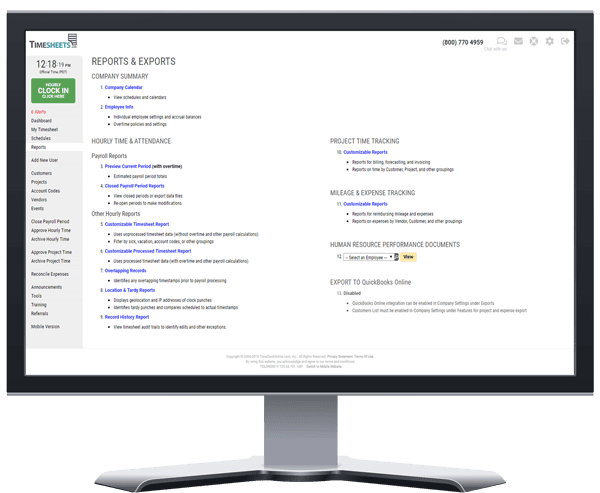
Timesheets.com goes beyond simple time and expense sheets by delivering clear, accurate, and actionable reporting that shows exactly how your business spends its time. Whether you need a quick snapshot of daily activity or detailed visibility into hours by employee, project, task, or location, our reporting tools turn raw time data into meaningful insights you can trust.
With flexible options, real-time data, and easy exports for payroll, billing, and compliance, you’ll always have the information you need to run your business with confidence. And as overtime rules evolve—such as new requirements around no tax on overtime calculations—Timesheets.com helps you stay informed and ready with the reporting and tracking needed to support accurate payroll and compliance.
No Credit Card Required
Reporting Time for Payroll
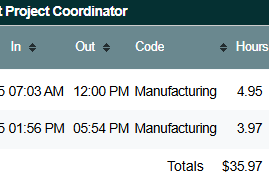
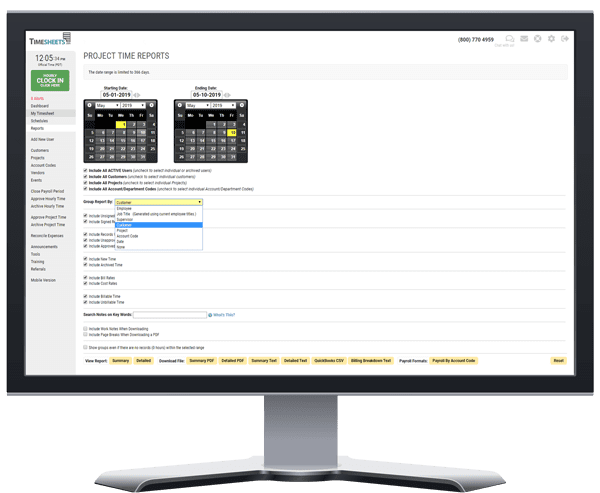
Our reporting is one of the most powerful advantages of using Timesheets.com to process time tracked for payroll. With clean, centralized time records, the reporting tools make it easy to turn raw employee tracked time into clear, payroll-ready data and help ensure payroll is processed smoothly, compliance is maintained, and managers always have up-to-date visibility into labor activity. Great reporting transforms your payroll data into a reliable foundation for better decision-making and smoother operations.

Integrated Expense Reporting Software
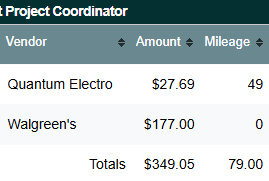
Comprehensive expense tracking along with our employee time reporting supports complete project cost management. Track mileage, expenses, per diems, bonuses, commissions and even cash advances alongside billable hours for accurate, real-time invoicing, employee reimbursements, and job-costing. Additionally, real-time expense reporting helps monitor your financial performance while maintaining detailed audit trails for accounting integration.

Advanced Audit Trails & Compliance
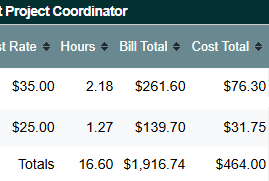
Detailed audit trails in Timesheets.com reporting provide an exceptional level of transparency and accountability by capturing every change made to employee time, mileage, and expense records. This detailed history allows managers to see exactly who modified a time or expense entry, when it was changed, and what specifically was updated, ensuring data integrity and preventing errors or misuse.

Cost Savings Through Automated Time Management
Employee timekeeping software eliminates costly manual time tracking inefficiencies because traditional paper timesheets create time padding opportunities. Just 2-3 minutes per punch equates to nearly 50 unearned hours annually per employee. Timesheets.com prevents this through precise digital hourly time tracking and accurate reporting. The timekeeping system captures precise work hours while providing real-time workforce visibility.
Export to payroll companies and accounting software services like these:

QuickBooks Integration for Billing & Payroll Processing
Seamless QuickBooks Time Reporting Integration
Employee time tracking integrates directly with QuickBooks Desktop and QuickBooks Online. This enables streamlined payroll processing.
Unlike QuickBooks Time (formerly TSheets), which is believed to have suffered service declines since acquisition, Timesheets.com maintains responsive, knowledgeable support and reliable functionality:
- Export time data in CSV formats compatible with ADP, Gusto, and Paychex
- Direct integration eliminates double data entry and calculation errors
Workforce Management Analytics & Time Reporting
Advanced time reporting provides insights into employee productivity, attendance patterns, and project profitability. Filter time reports by employee, date range, or project to analyze efficiency.
Tardy and location reporting compares actual work times against scheduled shifts. This highlights attendance issues and policy violations.
Give Timesheets.com employee time management a try!
No Credit Card Required
Frequently Asked Questions about Reporting Capabilities with Timesheets.com
What kinds of reports does Timesheets.com generate?
Our time and expense reporting is designed with maximum flexibility in mind. There are no pre-canned report types. Instead, there's a simple interface where you decide your date range, list items, and filters. This approach allows you to see granular to expansive datasets and everything in between. The data is presented in table format and can be exported as PDF, CSV, and directly to QuickBooks Online.
Does Timesheets.com integrate time tracking and expense data into other systems like QuickBooks?
Yes, Timesheets.com can send data directly to other systems via CSV or by connecting directly to QuickBooks Online - check back for additional direct integrations coming in the future. Timesheets.com is also happy to create additional CSV formats for clients with special requirements.
Can I export the data to CSV, Excel, PDF or another format?
Yes, CSV files open in spreadsheets like Excel and we have dozens of CSV formats available. Reports can be exported as PDFs as well. Data can be sent to QuickBooks Online through a direct site to site connection.
Does Timesheets.com have real-time dashboards?
Yes, all time and expense data is stored in the cloud and becomes immediately available in reports once it's saved. Expense receipts are immediately available as well after uploading.
Can I customise reports by employee, department/location, project, or job code?
Yes. We refer to those categories as "Lists", and you can choose any items from your lists to include or exclude from all time and expense reports. You can also apply filters to further hone your data.
Do you have a reporting API?
Yes, Timesheets.com has a reporting API that supports all our primary features. For additional information, please visit our API help pages.
Is there an audit trail or log of changes to timesheets or hours reported?
Yes, all timesheet edits and changes to expenses reported in Timesheets.com are tracked back to the user with a timestamp. There's no way to edit a time or expense record without a corresponding entry into the automatic audit trail saving the details.
What compliance benefits does time reporting employees software offer?
Our time and expense reports can absolutely help businesses comply with federal and state labor regulations in various ways. This includes things like proper overtime calculations, break and meal time reporting requirements, and sick leave accrual tracking including by hours worked accruals.
Can I see where my employees are clocking in from?
Yes, there's more than one feature for that. You can use our GeoLocation GPS time tracking feature to view employee clock in/out points overlayed with Google Maps. You can also lock employees to an IP address ensuring they are on site. Our reporting includes options to help you keep track of your people, wherever they are.
How do supervisors review and approve employee timesheets?
Timesheets.com has a simple approval process, after which time is marked as approved on all reports.
Timesheets.com > Reporting and Exporting



