(800) 770 4959

The Most Popular Employee Time Tracking Service

- For Billing and Payroll -

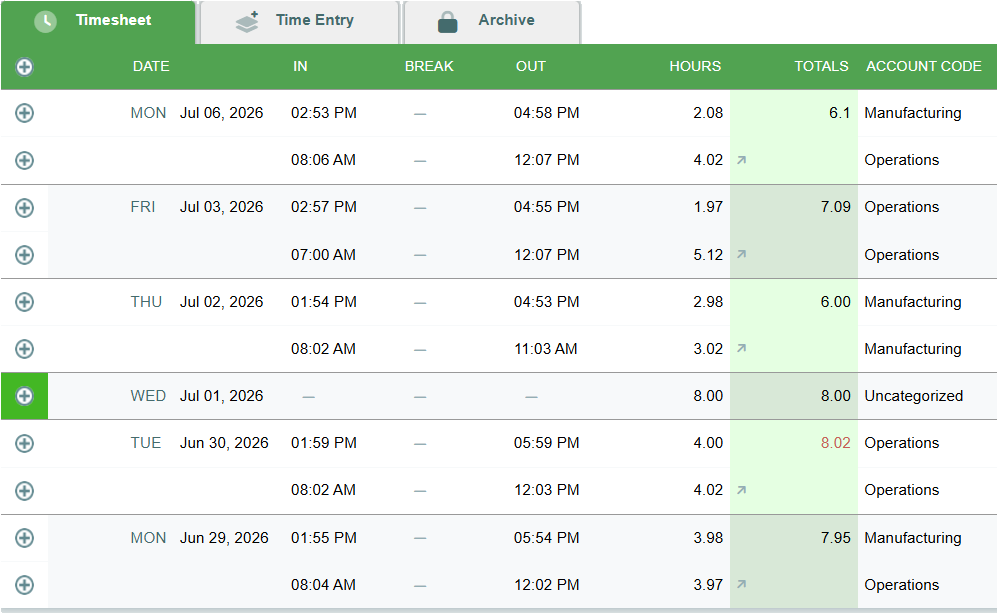
This sample timesheet is setup to track time for payroll. Our time tracking software displays time records shift and includes a daily total of work time and, when necessary, time off. Time tracking data can be exported for to your accounting software or payroll system.

time tracking software

Points of Interest on the Employee’s Timesheet for Payroll

  • Employees can track time by punching the clock or by entering time manually.
  • Employees can punch in multiple times per day.
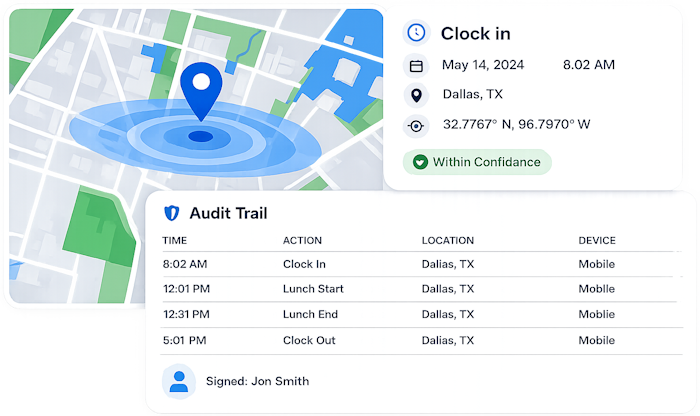
  • Each timestamp has a detailed audit trail accessible by clicking the + icon to the left of each record. The time audit trail contains the timekeeping history of the timestamp along with security information like the IP address used to enter the time, and a map if GPS data was saved.
  • Time logs can be categorized using Account Codes.  In this example, the type of work performed was saved with each time entry and displayed in the Account Code column.  
  • Accrued time-off balances are displayed above the time records. Employees who wish to request time-off can do so on the Time Entry tab. 
  • Employees can sign their hourly timesheets electronically and managers can approve them. 

This sample employee timesheet illustrates tracking time for billing or job costing. It includes bill and cost rates, client and job information, and the option to mark the time as billable or not billable.

Points of Interest on the Employee’s Billable Timesheet

  • Workers can record multiple time entries each day.
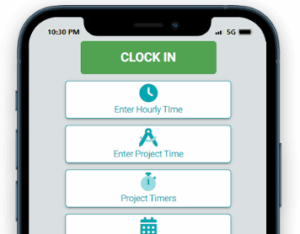
  • Employees can log time using forms, timers, a week view grid, or via their mobile phones.
  • Each timestamp has an optional bill and cost rate. Rates are only visible to those with proper permission.
  • Bill and cost rates can be set on a per user and per project basis. 
  • Multi-client time tracking can be organized with access tailored by client and employee.

Time Tracking for Payroll

Time Tracking Payroll Report

Timesheets.com simplifies employee time tracking by providing an easy-to-use interface for employees while keeping managers informed and in control. You'll see the time workers began their shift, who's on leave, and where people were when they punched out. Our streamlined process even handles missed clock punches gracefully, providing you with all the details you need to approve timesheet edits and time off requests.

time tracking payroll

Billing and Job Costing

Bill and Cost Rates for Tracking Time

We offer flexibility to employees who track time for billing, job costing and productivity analysis. Whether your employees are entering a straight 8-hours on one job or working on 30 projects a day, our simple interface has you covered. You'll have plenty of granularity in your reporting which can be exported to accounting software for invoicing or downloaded in PDF format or as a spreadsheet.

Secure Time Tracking

Secure Time Tracking with GPS

Our time tracking software provides customizable user permission settings offering flexibility without sacrificing security. Tools like our GEOPunch GPS integration and IP locking feature can help eliminate time theft while our approval process means you can assume work time is ready for processing with confidence. We also have a comprehensive audit trail when you need it.

construction time tracking software
Work Time Tracking Dashboard
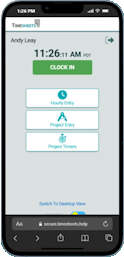
Mobile Time Tracker App

Employee Time Tracking

Our time tracking software offers multiple ways to enter time onto timesheets so employees can record data the way they want to - or the way you want them to. As a result, your data will be more accurate. Workers can punch the clock, make individual time tracking entries daily, track jobs in real time using our timers feature, or fill in their timesheet at the end of the week. Whether your people use desktops, tablets, or mobile devices, we've got your covered.

GEOPunch Time Tracking

Track employee attendance on mobile with confidence. GPS tracking records the location of employees who work in the field. You and your managers can run reports and see all employees’ location data integrated nicely with Google maps. If you don’t want your employees clocking in and out from their phones, that's no problem either. Our service can be locked by IP address or used with our photo timestamp feature.

Secure Time Tracking for Employees

With Photo Timestamp we save a photo with every punch. Works with any device. We also offer GEOPunch for accurate location tracking and IP Lock for employees who only work at specific locations.

time tracking tools
automated time tracking

Our Timekeeping Solution Makes Employee Time Tracking Audits Simple

The best way to protect your business from labor disputes is by having a proven process for employee requests, supervisor approvals and an excellent paper trail. That's where an automated time tracking solution provides tremendous value. In addition to our request and approval process, we document everything in an easily accessible audit trail.

Time Tracking Software for Teams, Freelancers, and Businesses

Frequently Asked Questions about Time Tracking with Timesheets.com

Yes, we track both and in fact, we have separate timesheets depending on which feature you’re using. For instance, if you’re tracking billable time or time against clients and jobs, you’ll use our Project Timesheet. On the other hand, if you’re tracking time for payroll or maybe just time off, you’ll use our Hourly Timesheet. Tracking time seems like it’s cookie-cutter, but we’ve found that organizations have diverse needs so we’ve made our time tracking software flexible to accommodate the various challenges our clients ask us to solve.

Cloud based time tracking has never been easier. Employees can clock in with a single click from any page in their account and requesting changes for missed or late punches is built right into the process. This intelligent approach to tracking time simplifies the clock punch process, ensures employee timesheets are always accurate, and puts managers in control. Timesheets.com makes sure your employees can track time accurately no matter the circumstances and provides managers with a detailed audit trail when they need it.

All time is tracked in real time. In fact, employees aren’t even required to submit their timesheets to managers like they might have done in the past. Instead, our cloud-based time tracking solution provides managers direct access to employee timesheets anytime they want via their accounts.

Our web based Time tracking service supports cross-device time tracking between our desktop app and people tracking time on mobile phones or tablets using our browser-based service. We even allow employees to clock in on one device and out on another, subject of course to security features like geolocation tracking, IP address restrictions, and Photo Timestamp. So yes, Timesheets.com can provide employees flexibility tracking time while still including security features like recording GPS locations.

You can get timesheet reports by in many formats depending on your needs. Our reports support data groupings like employee, customer, job, location, or task with granular precision. We have robust reporting tools, including granular time analytics to give you expansive insight into your organization so you’ll be able to break down data by date range, time classification, approval status, or any number of other available filters. We also have detailed time audit histories to help improve processes and verify performance when details about specific records are required. Together, our reporting covers a wide range of customer requirements including payroll reporting, job costing, timesheet audit trails, PTO balances, and more.

Timesheets.com is a browser-based platform that performs the same functions as the best time tracking apps (like QuickBooks Time, Clockify, Time Doctor, RescueTime, and BigTime) — without requiring users to download, install, or update software. Our responsive web interface works seamlessly across devices, making it ideal for businesses seeking a flexible and accessible time tracking solution that minimizes its footprint on employee devices. Mobile users can punch the clock, start task timers, or record billable time using our simple mobile interface from anywhere with an internet connection.

Yes! Freelancers are able to use Timesheets.com just like any other organization, and businesses can track contractor time just like they track regular employee time. Our system is flexible and easy to use, so managers who want to include contractor time in Timesheets.com won’t have any problems.

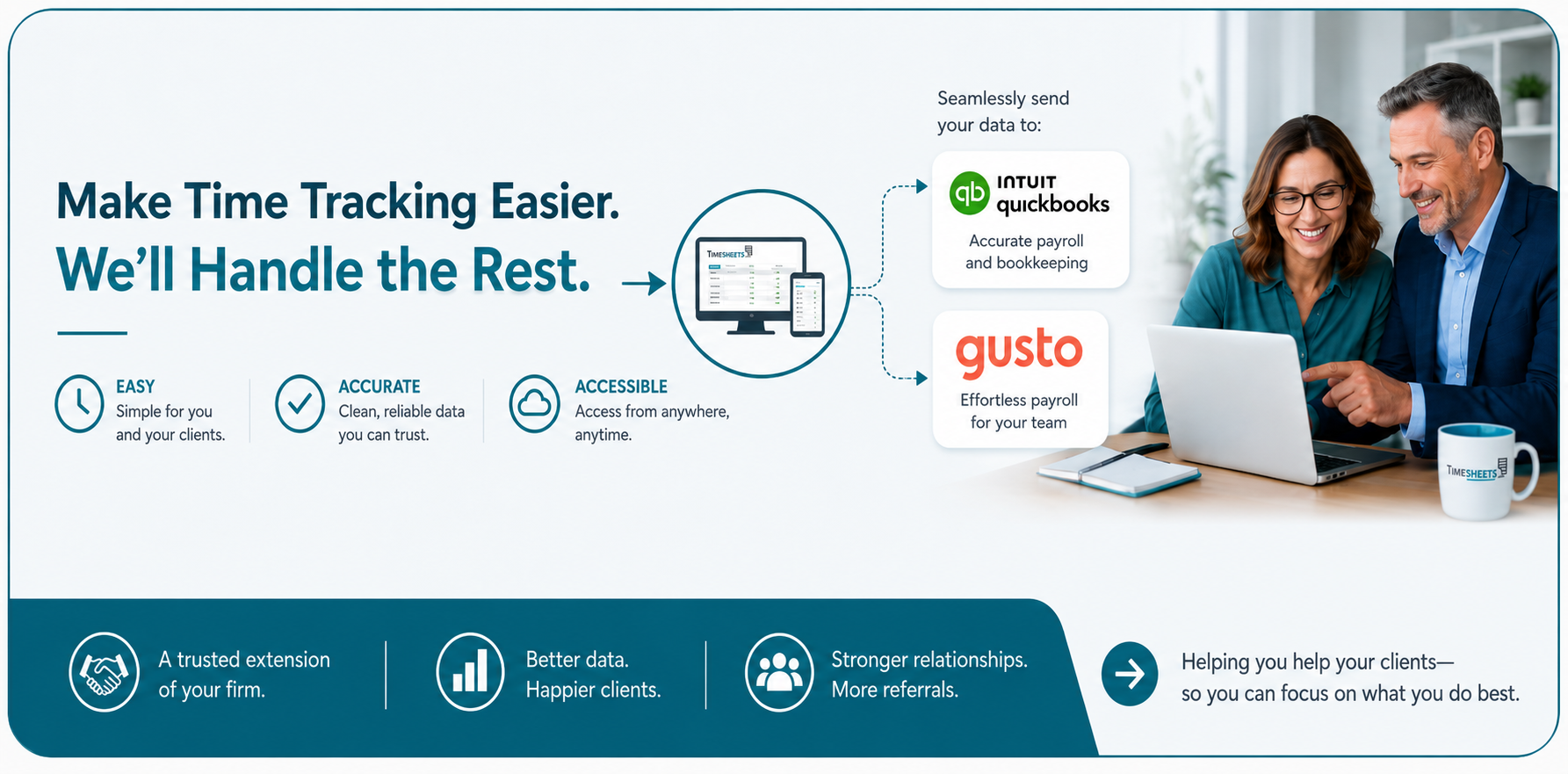
Our time tracking software integrates with the popular accounting software QuickBooks (both desktop and online versions). We also offer many ready-to-go CSV downloads or payroll reports for payroll products like Gusto, Paychex, ADP, and others. For those with customized needs, Timesheets.com has a fully API for exporting data.

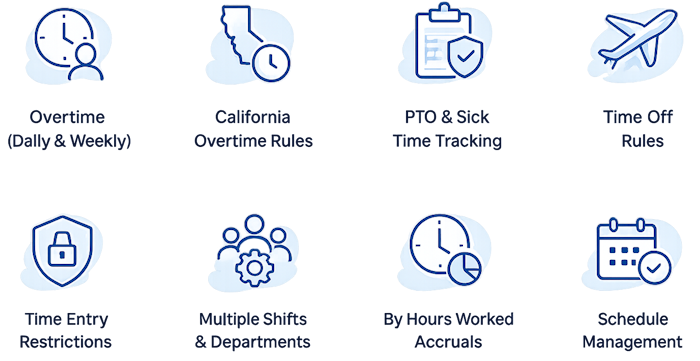
Timesheets.com has a feature-rich leave tracking module that includes virtually all common customer requests like the ability to track accrual balances, the ability to calculate time off by hours worked, and the ability to assign individualized accrual policies on a per employee basis. We understand that time off tracking requires a great degree of flexibility and built this into our system from day one. Read more about our time off tracking by clicking here.

You can find more information about our pricing on our pricing page here, but in a nutshell, Timesheets.com bills by number of users and doesn’t have hidden or extra fees of any kind beyond our normal monthly or annual fee. Clients can choose to pay monthly or annually depending on their needs. For example, seasonal clients appreciate the ability to pay monthly while customers with a relatively stable number of employees throughout the year appreciate the ability to pay annually.

Here are some useful questions to ask yourself before your purchase:

  1. Consider whether the time tracking solution you’re evaluating supports the features your team actually needs.
  2. Does the time tracking software have additional features, like scheduling or expense tracking that could be useful?
  3. What extra or hidden fees are involved? Is there a base fee or cancellation fee?
  4. How is their customer service? Do they answer phones? Are they easy to get ahold of when you have a problem?
  5. What will you be doing with you’re the data from your tracked time? Exporting to a payroll service or accounting software?
  6. How do you expect your workers to use the time tracking product, and does the product support those features?
  7. What security options are available when tracking employee time?
  8. Every company gets a bad review now and then, but what is the overall tenor of reviews left for the time tracking company?
  9. How long has the time tracking company been around? Is there timekeeping software updated often?
  10. How many workers will use the time tracking system? For instance, Timesheets.com is primary for small and medium sized teams.
  11. Will you be tracking time off?
  12. Does the company offer payment terms you like?
  13. What leg work needs to happen to smooth implementation and acceptance for a new time tracking system?
  14. Do any workers or groups tracking time need special features?
  1. Timesheets.com lets you track time by task without extra plugins or browser extensions.
  2. You can track hours by task, project, job, location, client, and more.
  3. Its built-in timekeeping system supports both real-time and manual entry.
  4. Timesheets.com is optimized for real-time time tracking.
  5. Timesheets.com has an excellent audit trail feature in line with strict government DCAA requirements.
  6. You don’t need to install a dedicated time tracking app—Timesheets.com works via any browser.
  7. You can’t track clock-ins, PTO, and scheduling in one fully integrated software.
  8. No downloads required, installs, updates or updates required. You’re always using the latest version.
  9. You can track project-based time with timers or a full week view.
  10. Offers flexible tardy and location reports help ensure accountability.
  11. Combines cloud-based time tracking programs with in-browser flexibility.
  12. Built to support modern time tracking security requirements with layered permissions.
  13. A lightweight, compliance-friendly solution for remote work time tracking.
  14. Features a real-time activity feed for clock-ins, edits, and approvals.
  15. Use it as a project budget timer to manage billable vs. non-billable work.
  16. Excellent productivity analytics are built into the reports.
  17. Multiple formats for exportable summary reports.
  18. Individual rates for billable time including bill and cost rates on a per project and per person basis.
  19. Keeps cloud-based time logs organized, searchable, and exportable.
  20. Great for team time comparison using report filters and dashboards.
  21. Built-in project billing timer supports export to payroll or invoicing.

Timesheets.com > Time Tracking

Timesheets.com Employee Time Tracking Software

Copyright 2004-2026 TimeclockOnline.com, Inc. All Rights Reserved.
Terms of Use   |   Privacy Statement